This post contains affiliate links. We may earn a commission if you purchase through them, at no extra cost to you.
Let’s be real for a second. If you’re reading this, you’ve probably just unboxed a sleek new MacBook Air or a Windows ultrabook, taken a look at its sides, and felt that familiar sinking feeling. One port. Maybe two. Your heart sinks as you realize your external monitor, your flash drive, your mouse, and your charger all need a home. Welcome to dongle life.
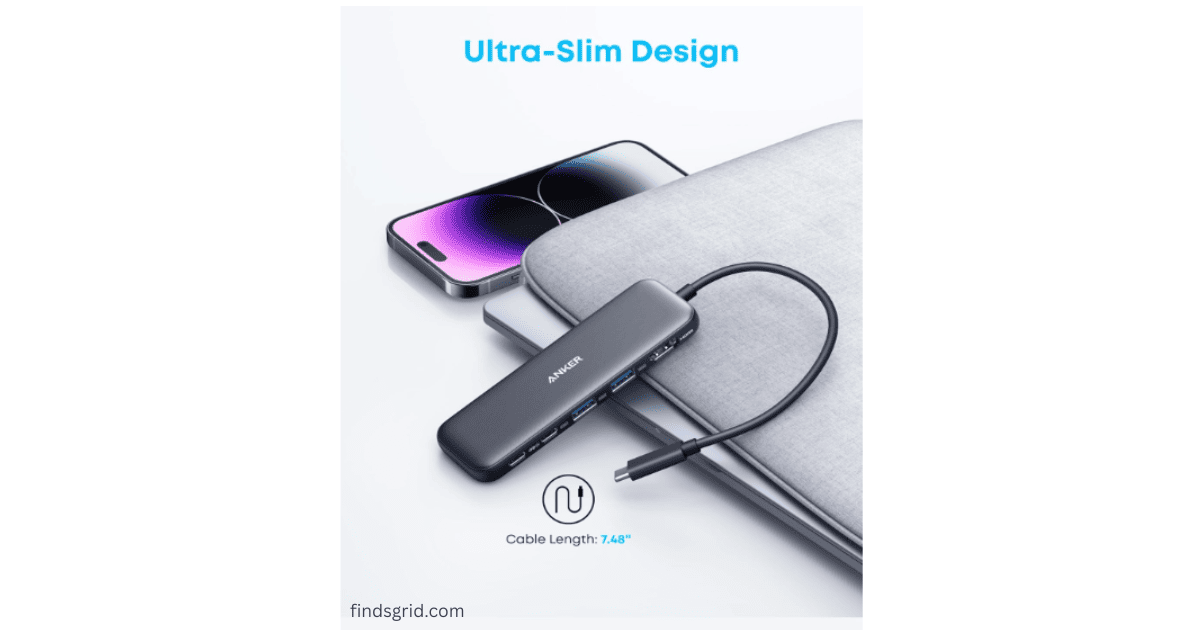
It’s a common frustration: unplugging your charger just to plug in a USB drive, only to see the battery drain mid-transfer. That’s the problem the Anker 332 USB-C Hub (5-in-1) is built to solve. It’s one of those gadgets that promises to clean up the mess without adding much bulk to your backpack.
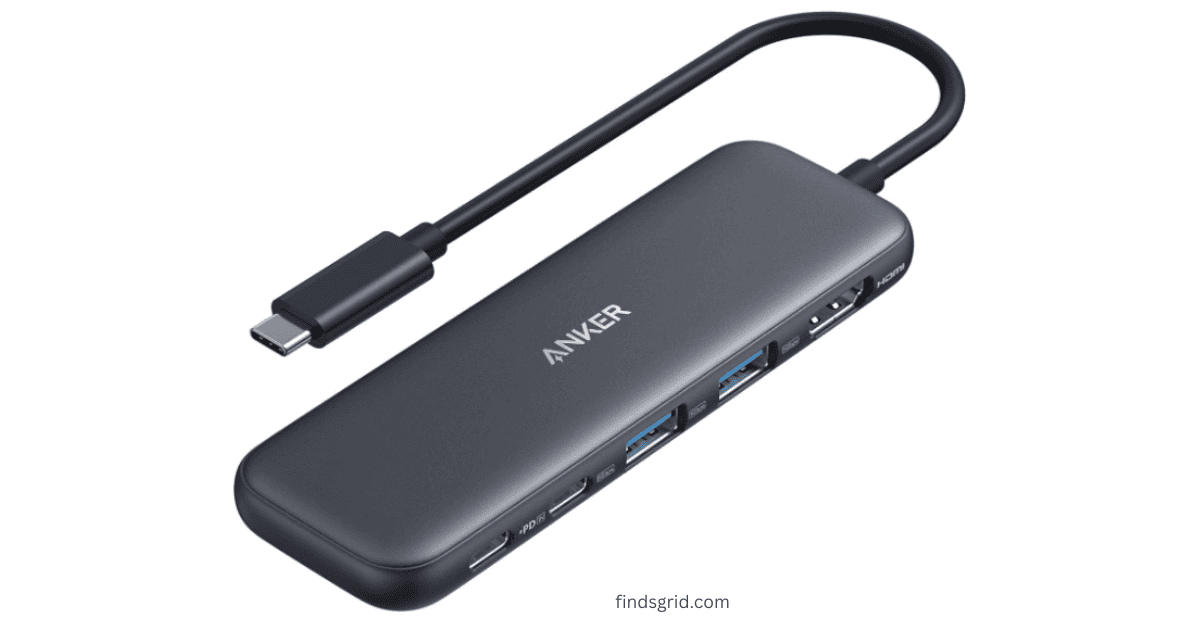
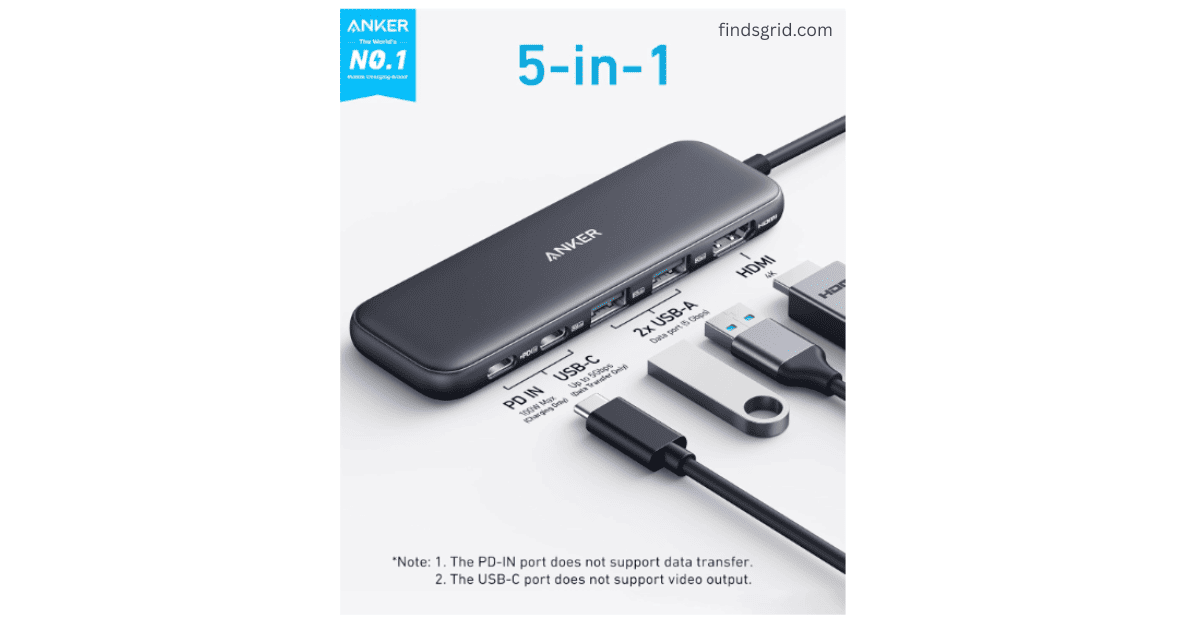
Here’s what the specs say.
Specifications At A Glance
Here’s a quick breakdown of the specs:
| Feature | Specification |
|---|---|
| Ports | 1x HDMI (4K@30Hz), 1x USB-C Data (5 Gbps), 2x USB-A 3.0 (5 Gbps), 1x USB-C PD-IN (100W) |
| Power Delivery (Input) | Up to 100W PD-IN (supports up to 85W pass-through to your laptop) |
| Data Speed | 5 Gbps on both the USB-C and USB-A data ports |
| Display Output | HDMI up to 4K@30Hz (USB-C ports do not support video) |
| Compatibility | MacBook (macOS 12+), Windows 10/11, ChromeOS, USB4, Thunderbolt 3/4/5. Not compatible with Linux. |
| What’s in the Box | Anker 332 USB-C Hub, Welcome Guide, 18-Month Warranty (No wall charger included) |
Key Features and Performance
Here’s what the published specs say, and how it fits common laptop setups.
Supercharged Power Delivery
Power delivery is one of the most useful features. The USB-C 100W PD-IN port is strictly for charging. It doesn’t do data, and it won’t read your headphones. But what it does do is keep your laptop alive while you’re using all the other ports.
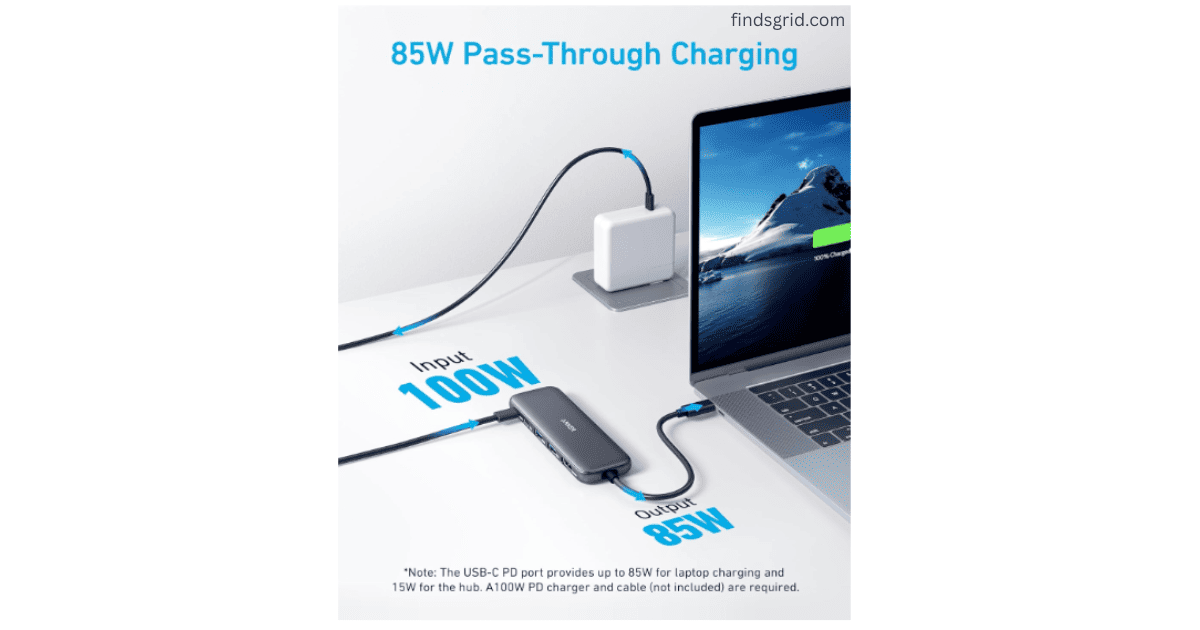
When you connect your laptop’s charger to this port, the hub passes through up to 85W to your computer. That’s enough for many laptops, but check your laptop’s wattage needs. One quick heads-up, though: The hub doesn’t come with a wall charger. You’re going to want to use the one that came with your laptop. Also, if you’re rocking an iPad, Anker suggests using a 45W charger to get the full effect.
- Also Read: For a cable-free desk, see our review of the KU XIU X85 3-in-1 Magnetic Wireless Charger.
High-Speed Data Transfers
The USB-C data port and both USB-A ports are rated at 5 Gbps. On paper, that’s a theoretical maximum of around 600 MB/s, but real-world speeds are lower and depend on your drive and cable. A large file can still move quickly with a fast SSD. It isn’t 10 Gbps or Thunderbolt speed, but it’s plenty for documents, photos, and music.
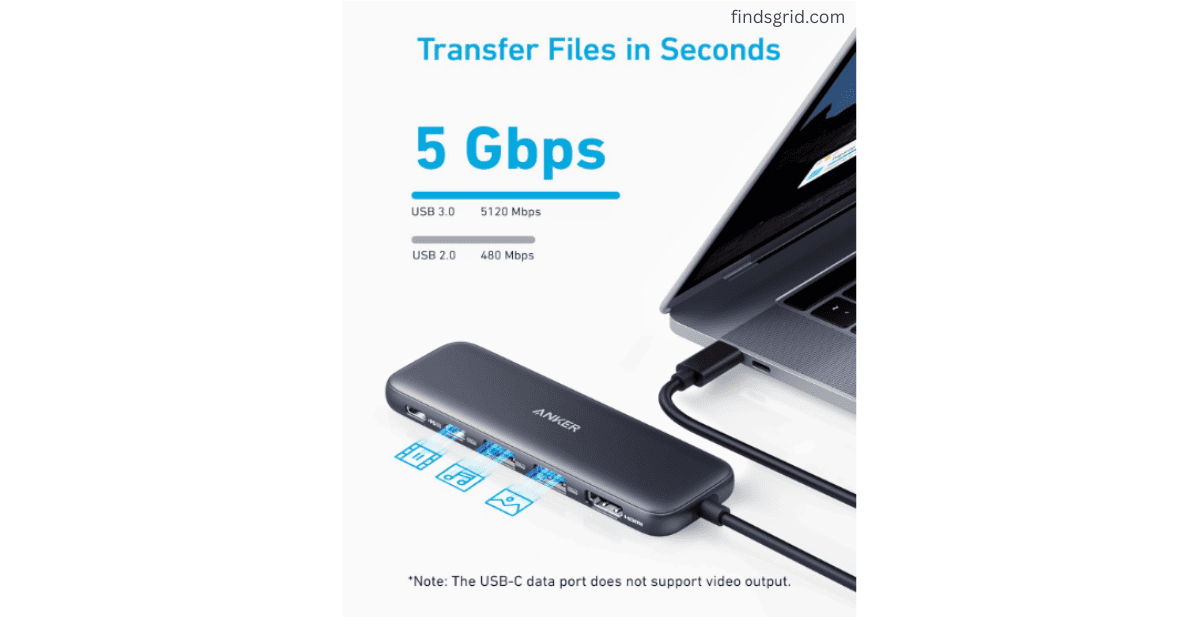
Plugging in an SSD, a mouse dongle and a keyboard at once is exactly what the USB-A ports are for. On many hubs of this type the data ports share one connection to the laptop, so heavy simultaneous transfers split the bandwidth; check Anker’s spec for this model.
4K External Display Setup
One of the main reasons people buy this Anker 332 USB-C Hub is to hook up an external monitor. The HDMI port supports 4K resolution at 30Hz.
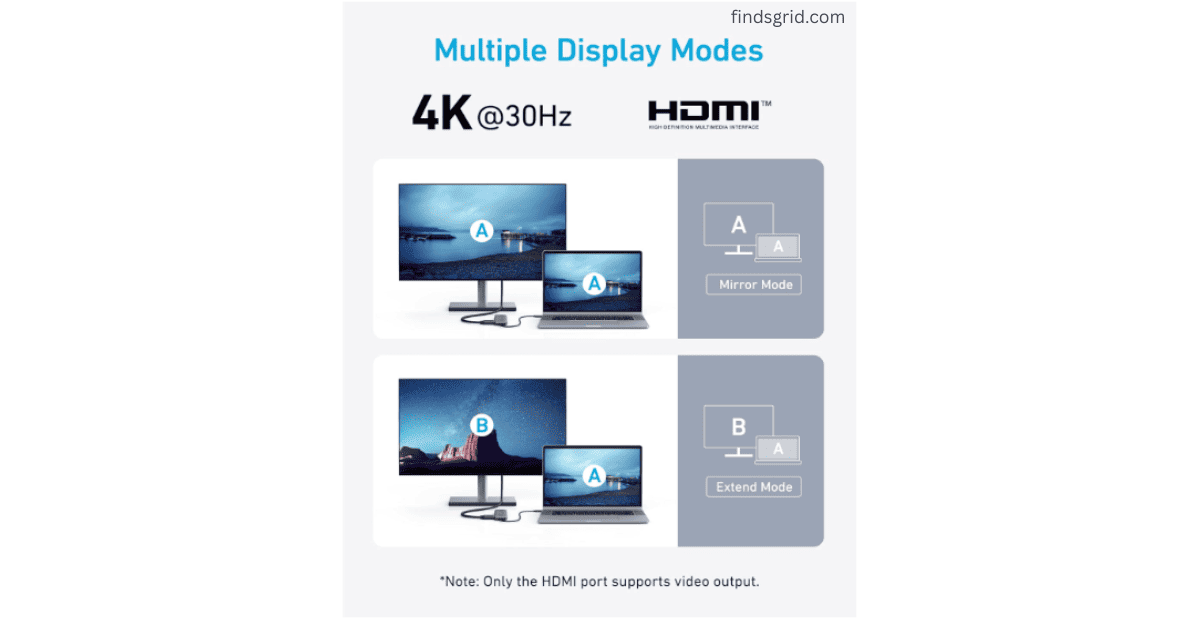
Here’s the deal with that: If you’re using this for spreadsheets, writing, coding, or watching video, 4K@30Hz should look sharp. However, if you’re a hardcore gamer, you might notice the 30Hz refresh rate feels a little sluggish compared to 60Hz. It’s a subtle difference, but it’s worth knowing.
The one big red flag: The USB-C ports on this hub do not support video output. You can’t plug a USB-C monitor into it and expect it to work. That display has to go through the HDMI port.
Device Compatibility (Who is this for?)
If you’re wondering if this is the right hub for your specific laptop, here’s the breakdown. The Anker 332 USB-C Hub works with many devices, as long as they support DP Alt Mode and Power Delivery.
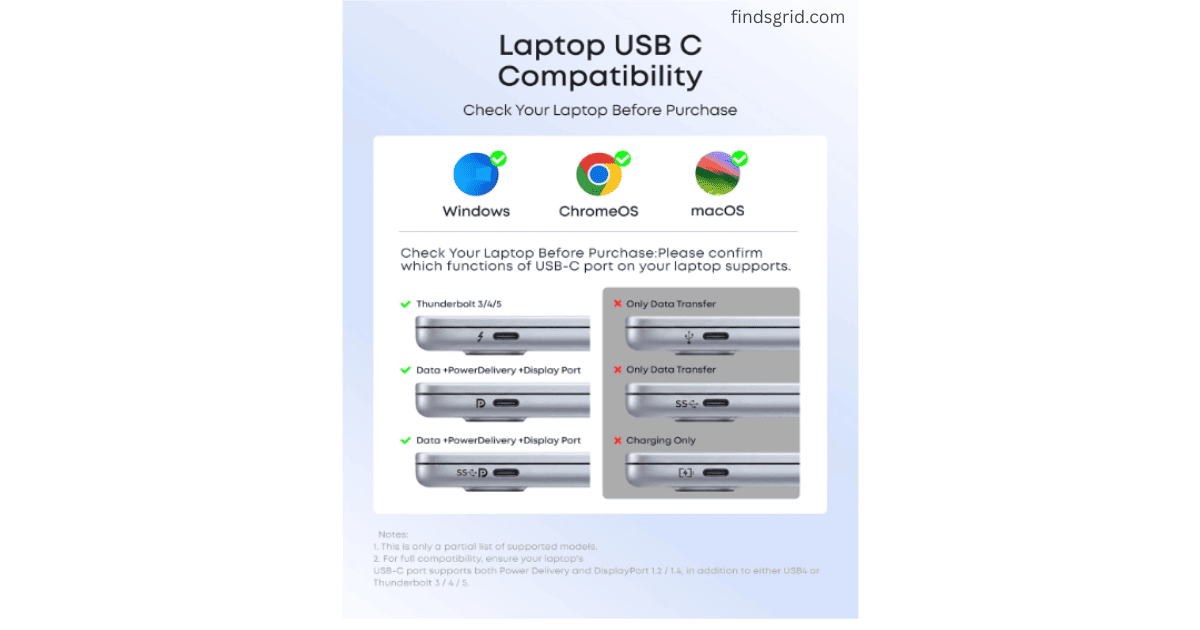
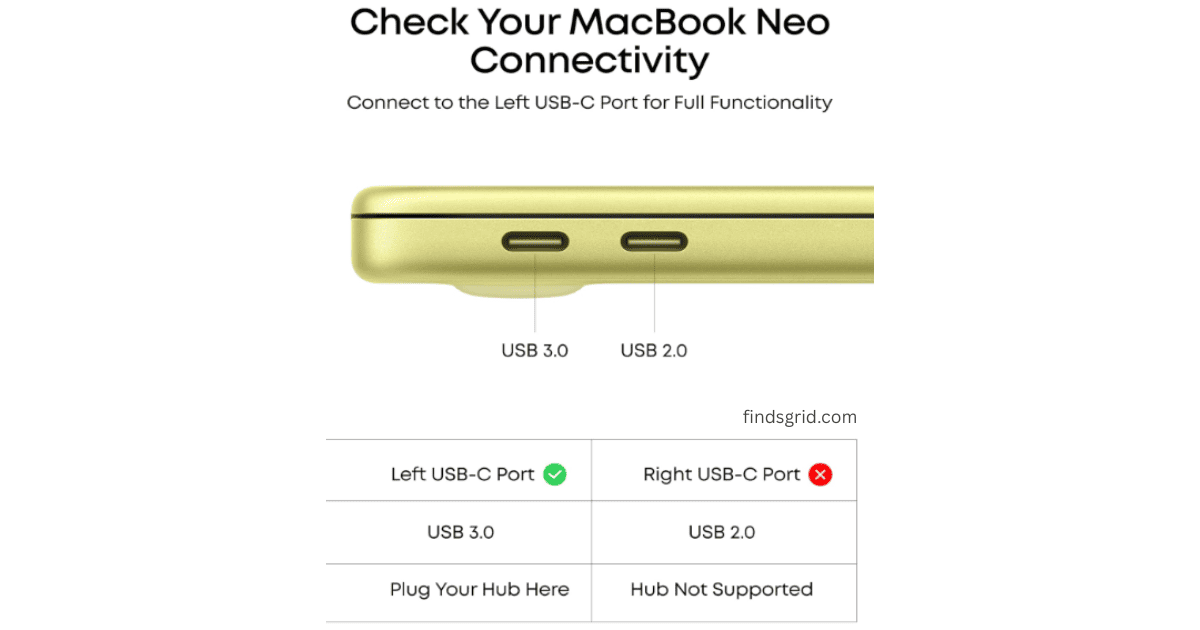
MacBook Users (macOS 12+): According to the listing, it works with MacBooks running macOS 12 and later. Some MacBook models support only one external display, so check your model’s display limits.
Windows Users (10 & 11): Perfect for Dell XPS, HP Spectre, Surface Laptops, and Lenovo ThinkPads.
ChromeOS: Good to go.
USB4 & Thunderbolt 3/4/5: The listing says it’s compatible with these ports. It will run at its own 5 Gbps speed.
💡 Hub dropping out or not being detected? See our guide: USB-C Hub Keeps Disconnecting? 7 Proven Fixes (Mac & PC)
A Critical Warning for Linux Users
Anker lists Linux as unsupported, so the hub may not work reliably. Save yourself the headache and look for one that explicitly supports Linux.
Pros & Cons (Anker 332 USB-C Hub)
Here are the highs and lows of the Anker 332 USB-C Hub.
Pros:
Good value: You get a useful expansion of ports in a small package.
85W pass-through charging: Keeps your laptop topped up without hogging an extra port.
Transfer speeds: 5 Gbps is fast enough for most people to back up folders and move media files.
Plug and Play: No driver installation required on Mac or Windows.
Cons:
USB-C Ports don’t do video: If you’re trying to connect a USB-C monitor, this won’t work.
HDMI is limited to 4K@30Hz: It’s functional, but not ideal for high-refresh-rate gaming.
No included wall charger: You’ll need to provide your own power brick for pass-through charging.
- No SD card reader or Ethernet port: you’ll need a different hub if you rely on either.
Who Should Skip This Hub
- Linux users (not supported by Anker)
- Gamers who want a 60Hz external display (HDMI tops out at 4K@30Hz)
- Anyone who needs dual monitors from one hub
- People who need an SD card slot or Ethernet
- Anyone planning to plug in a USB-C monitor (USB-C ports don’t carry video)
Where to Buy
You can find the Anker 332 5-in-1 USB-C Hub on Amazon:
Frequently Asked Questions (FAQs)
No. The USB-C 100W PD-IN port is strictly for charging input only. If you plug in a hard drive or a pair of USB-C headphones into this specific port, they won’t be recognized by your laptop. Only the dedicated “Data” USB-C and USB-A ports handle file transfers. No. The Anker 332 supports a single external monitor via the HDMI port. You cannot run two monitors off this hub simultaneously. If you need dual displays, you’ll need to look at a more expensive 8-in-1 or 10-in-1 solution. No. The box contains the hub, a welcome guide, and the 18-month warranty card. You will need to supply your own USB-C wall charger to take advantage of the pass-through charging feature.
The Verdict
The Anker 332 isn’t trying to be the fastest hub on the market, and it isn’t the cheapest either. It aims to be a dependable budget USB-C hub for MacBook and Windows users who need a daily driver.
If you have a limited budget and you’re tired of crawling under your desk to plug in a mouse, or if you’re a student who needs to connect a flash drive and a monitor for a presentation, it’s worth considering.
It’s a compact hub that tackles one of the most annoying problems with modern laptops: too few ports. Just keep its limits in mind: 4K@30Hz over HDMI, no video over the USB-C ports, and no Linux support.
Safety note: Hubs can get warm during heavy use, so don’t cover them. Use a good charger and cable, and avoid very cheap look-alike hubs, which can damage devices. Follow the manufacturer’s instructions.