
Here’s a scenario you’ll probably recognize. You’re deep into a spreadsheet, headphones on, laptop screen filling your whole view and your phone buzzes somewhere off to the side. In this CloudValley Magnetic Laptop Mount Review, we’ll look at how this sleek accessory holds your phone upright beside your screen to fix that daily distraction.
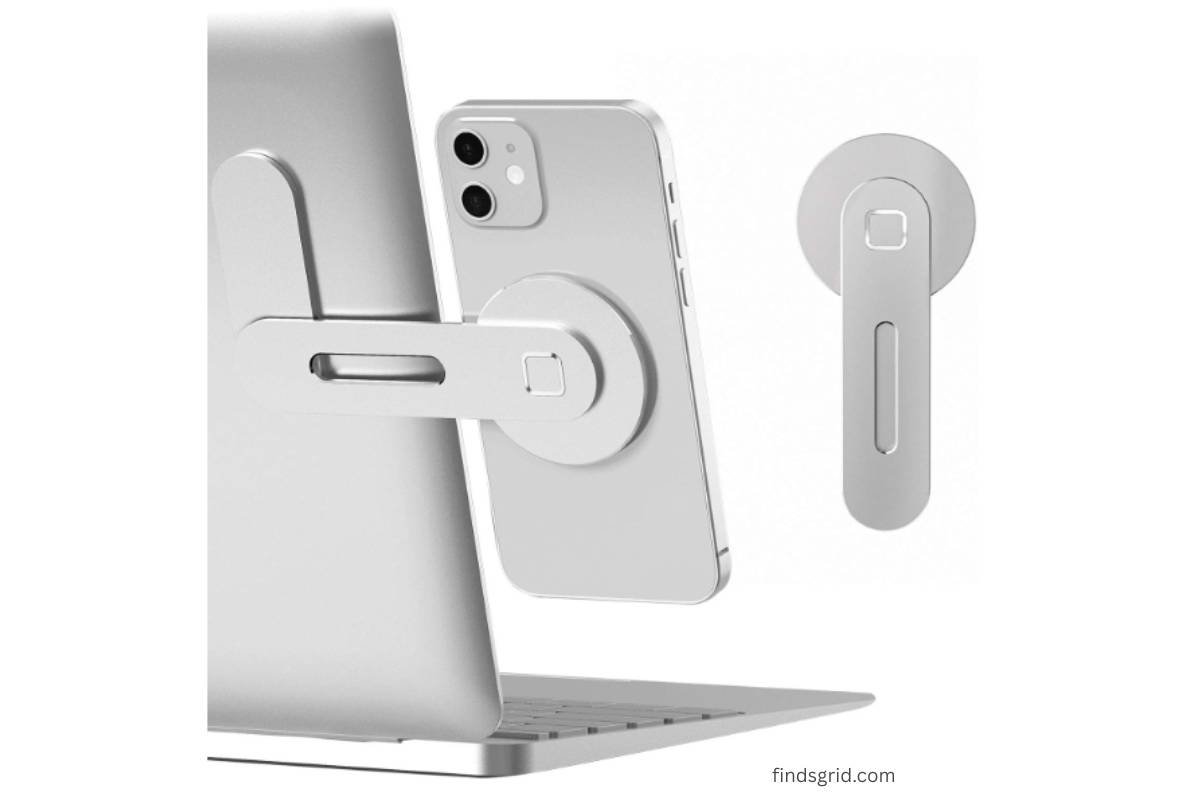
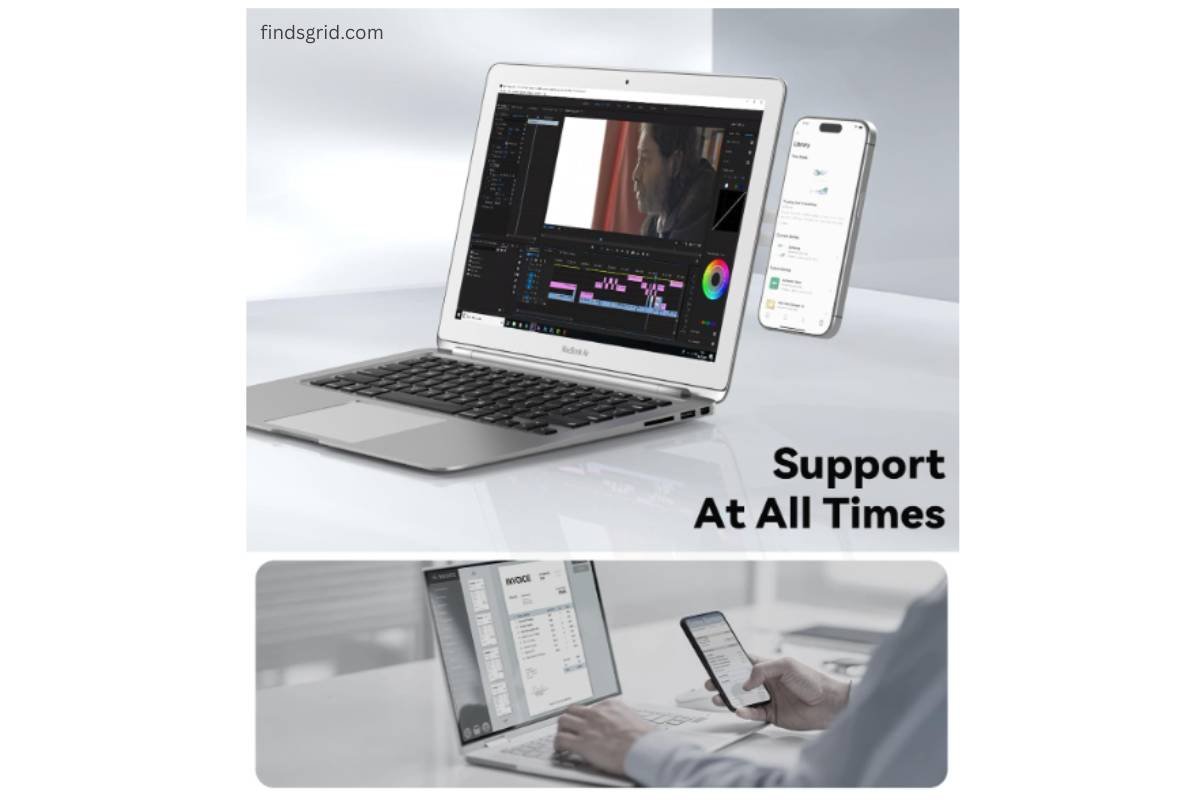
That’s the itch CloudValley’s magnetic laptop phone holder is trying to scratch. Rather than leaving your phone flat on the desk somewhere in your peripheral vision, it clips onto the back of your laptop lid (or monitor, or iPad) and holds your phone upright, right beside your main screen. Think of it less as “a phone stand” and more as a cheap, low-tech way to fake having a second monitor for your notifications.
I’ve spent some time with one, and here’s what’s actually worth knowing before you decide if it belongs on your desk.
Design and Build: What You’re Actually Getting
A crucial factor in any CloudValley Magnetic Laptop Mount Review is how well the hinge holds up over time. CloudValley didn’t try to reinvent the wheel here they went with a pretty simple formula: keep it light, keep it foldable, and don’t make it look like a random plastic accessory glued to your expensive laptop.
- It’s aluminum, not plastic. The arm and mounting base are aluminum alloy with a matte electroplated finish, so it actually blends in with the brushed metal look most laptops have going on these days.
- Folds down flat. When you’re not using it, the arm tucks back against the base. You’re not walking around with some phone-holder antenna sticking off the back of your laptop.
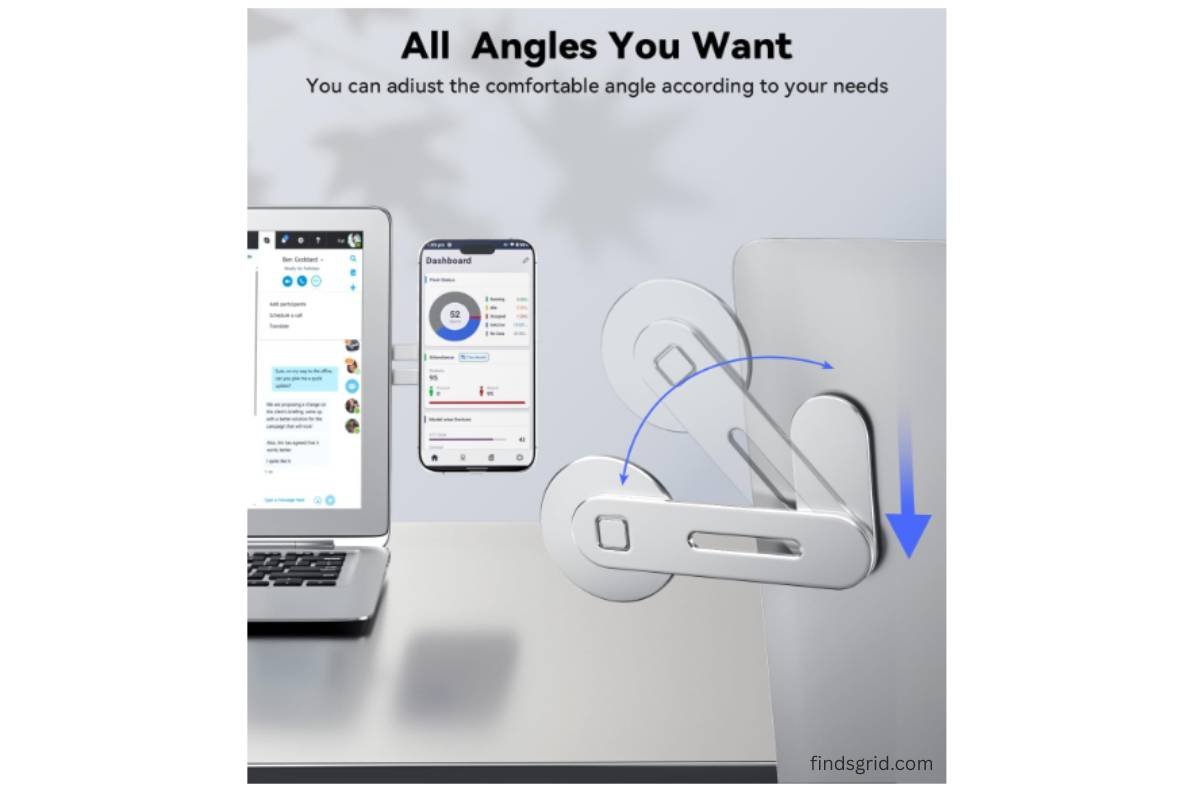
- The arm rotates. You can angle it toward yourself for a call, straight up for quick glances, or somewhere in between whatever works for how you’re sitting.
- It’s genuinely small once folded. This isn’t a desk-only accessory. It’s meant to travel in your bag without adding real bulk.
- The magnet does the actual work. No cradle, no clip you have to squeeze open your phone just snaps onto the magnetic disc at the end of the arm.
CloudValley Magnetic Laptop Mount Review: Will It Work With Your Phone?
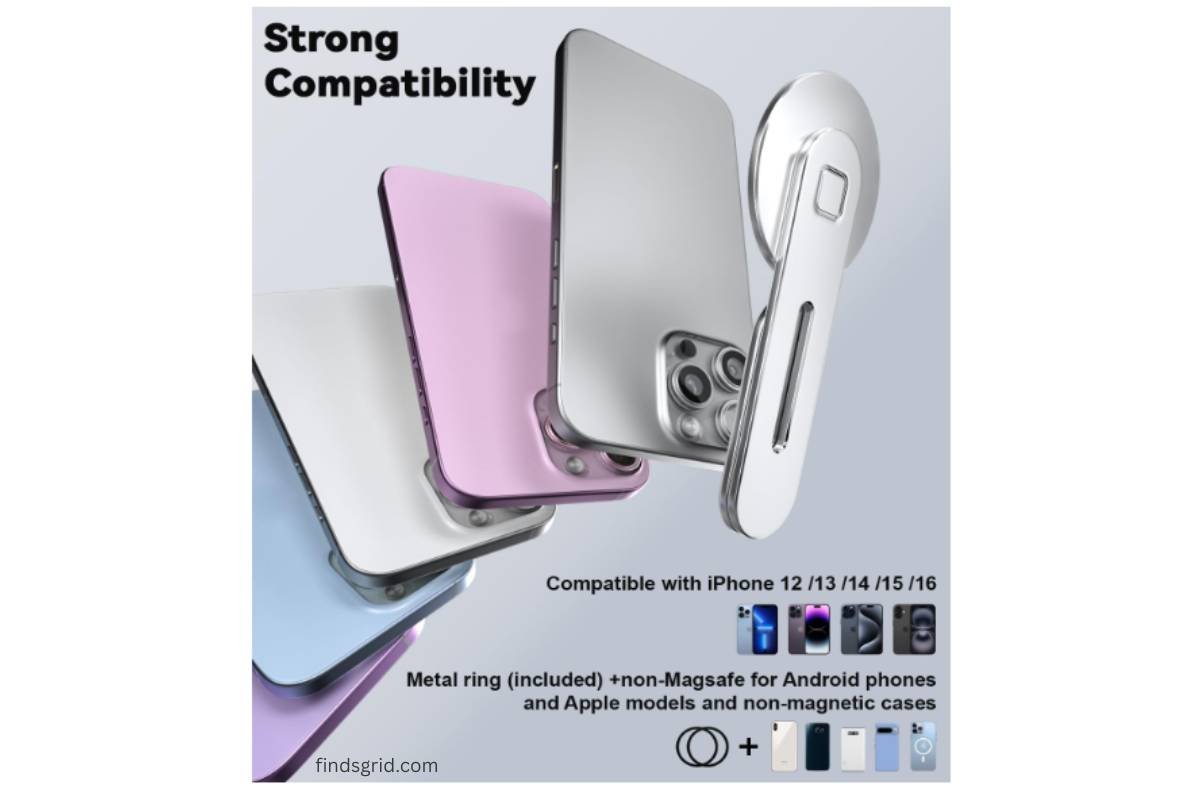
This is usually where laptop phone mounts fall apart they support one or two phone models and call it a day. CloudValley’s compatibility list is a lot longer than I expected, so let’s actually go through it.
If you’ve got an iPhone, you’re mostly set. Anything from the iPhone 12 up through the 17 lineup Pro, Pro Max, Plus, Air, the 16e, all of it has MagSafe built into the frame already, so you just snap it on. Nothing to buy, nothing to stick on first.
Samsung and Google phones are supported too, just with one extra step. The Galaxy S25, S25+, and S25 Ultra need a magnetic case for the connection to work, and the Pixel 10 connects through PixelSnap. Makes sense neither brand builds a magnet into the phone itself the way Apple does, so you need that middle layer.
And if your phone is older, or just doesn’t have any of that MagSafe/PixelSnap business CloudValley throws in a thin metal ring you can stick to the back of your phone or case. Once that’s on, the mount grabs it the same way it would grab a MagSafe iPhone. The ring’s thin enough that it’s not supposed to get in the way of wireless charging either, which is a nice detail a lot of “universal” magnetic accessories quietly kill your charging pad and don’t tell you until you try it.

Setting It Up: What the Install Actually Looks Like
Nobody wants to read a ten-step manual for a phone clip, so here’s the short version of how this actually goes on.
- Find a flat spot. The base uses adhesive tape, and it’s made for smooth, flat surfaces, the back of your laptop lid, a monitor, an iPad. If the surface has texture or ridges, skip it; the tape won’t hold.
- Give that spot a quick wipe-down first. Dust and oil under the tape is basically asking for it to peel off in a month.
- Peel the liner, press it on, hold it. A few seconds of firm pressure goes a long way toward getting a solid bond right away.
- Rotate the arm out. It sits flat against the base out of the box swing it up to expose the magnet.
- Snap your phone on. Line up the MagSafe ring (or your stuck-on metal ring, if you’re on Android) with the magnet and let it click into place. Adjust the angle until it’s comfortable.
- Give it a light tug before you trust it. Especially the first day you want to know the adhesive’s actually set before you’re relying on it mid-call.

💡Give that spot a quick wipe-down first. Dust and oil under the tape is basically asking for it to peel off in a month. (If your workspace needs a full refresh, check out our review on the Ordilend Keyboard Cleaning Kit to keep your setup dust-free).
The Honest Pros and Cons
To sum up this CloudValley Magnetic Laptop Mount Review, it offers a super clean, space-saving setup for remote workers.
What’s good about it:
- Covers a genuinely wide range of phones, recent iPhones natively, Samsung and Pixel with one extra accessory, and basically anything else with the included ring
- Doesn’t interfere with wireless charging, even with the adapter ring on
- Feels more solid than the usual plastic phone clip, thanks to the aluminum build
- Folds flat, so it’s realistic to actually take it with you when you travel
- Comes with spare metal plates and cleaning kits, so if you want to remount it somewhere later, you’re not stuck buying new parts
What’s not as great:
- The whole thing depends on the tape bonding well, so it’s really only reliable on smooth, flat surfaces anything textured is a gamble
- Samsung and Pixel owners need to grab a magnetic case or PixelSnap separately for the “true” magnetic experience it’s not built into those phones like it is on iPhone
- If you move the mount to a new spot later, you’ll want one of the spare plates, since old tape doesn’t rebond the same way twice
💡Pro Tip: Pair this dual-screen mount with the Navtcow Under Desk Drawer to completely clear clutter and maximize your workspace productivity.
Where You Can Actually Buy One
If you’re going to pick one up, go through the official CloudValley Store listing rather than some random reseller. It’s the version that comes with everything described here, the extra metal plates, the cleaning kits and it’s the route that gets you actual support if something’s off with the mount or the adapter ring on your particular phone. Worth double-checking you’re grabbing the color you actually want (Silver, in this case) and that you’re buying from the official store page before you check out.
👉 Check Latest Price on Amazon

Quick Questions People Usually Ask
Does it mess with wireless charging? No, both the magnet itself and the included metal ring are built thin enough that they don’t get in the way. You can still use a charging pad or MagSafe puck while the phone’s off the mount.
Does it only work with iPhones? Nope. Samsung’s S25, S25+, and S25 Ultra work with a magnetic case, the Pixel 10 works through PixelSnap, and honestly any phone can use it once you’ve stuck on the included metal ring.
Is it going to leave marks or residue on my laptop? It’s a tape-mounted base, so there’s some adhesive contact wherever you put it that’s just how this style of mount works. CloudValley includes spare metal plates specifically so you’re not stuck if you decide to move it to a different spot down the line.
Can I actually take this with me when I travel? Yeah, that seems to be the point of the folding design. It’s built to fold flat and go in a bag, not just sit permanently on one desk, so it holds up fine for meetings or work trips.