
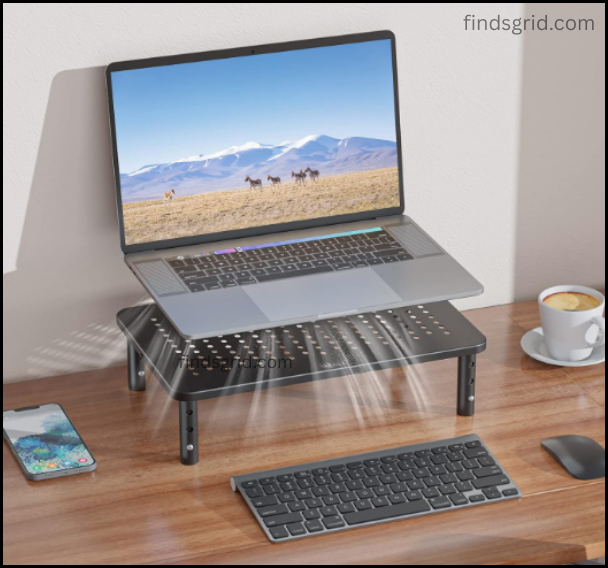
Look, I’ve tested maybe thirty desk setups for remote workers and students over the last few years. My own neck has been the crash test dummy.
You know that feeling around 3 PM? The one where you catch yourself looking up at your screen—because somehow you’ve slumped so low your chin is practically on the desk? Yeah. That.
I used to think a standing desk was the answer. Then I realized I’m too lazy to stand for more than twenty minutes. So I went looking for a cheap, boring, metal riser that just… works.
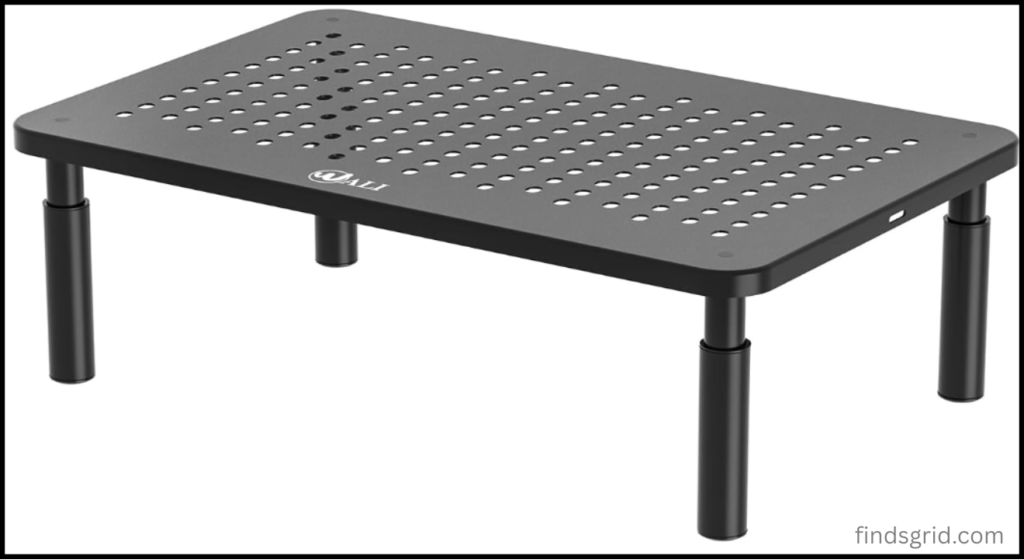
This is the WALI. It’s not fancy. It’s not even adjustable. But after three weeks of using it every single day, I’m not sure I could go back.
Let me tell you why your desk is currently hurting you
The truth? Most desks aren’t made for actual humans. They’re made to look good in a catalog.
If you’re a student in a cramped Manchester flat or a remote worker in a tiny Seattle apartment, you’ve got maybe two feet of usable depth. Your monitor sits on the desk. Your keyboard sits in front of it. Your mouse hangs off the edge. And your neck? Bent forward like you’re trying to read a book on the floor.
Don’t get me wrong, laptop stands help. But they just lift the screen. They don’t give you back any space.
The WALI does two things: lifts your screen to eye level, and lets you slide your keyboard underneath. That’s it. That’s the whole trick. And honestly? For £30, that’s enough.
What it’s actually like to use this thing
Assembly: Four screws. Ninety seconds. I did it while waiting for my kettle to boil.
Build quality: Heavy steel. Not the cheap painted particle board that chips if you look at it wrong. This thing feels like it could survive a dorm move-out and a small earthquake. The finish is matte black—no fingerprints, which is good because I eat at my desk like an animal.
The storage: They say “keyboard storage.” Let me be real with you. A normal keyboard—think Logitech MX Keys—slides under with room to spare. A chunky mechanical keyboard? It fits, but just barely. You’ll have maybe a finger’s width of clearance.
But here’s what I actually use the space for: notebooks, pens, a small USB hub, and my lunch plate when I’m eating. That empty space under the riser is like a hidden garage for clutter. My desk surface went from “disaster zone” to “actually usable” overnight.
Ergonomics: I’m 5’9″. The stand is 4.1 inches tall. That puts my 27-inch monitor at exactly the right height—top bezel at my brow line. My shoulders dropped. My neck stopped cracking. The 3 PM slump still happens, but now it’s at 5 PM. Progress.
Brutally honest pros and cons:
No fluff. Here’s what’s good and what’s annoying.
| Pros | Cons |
|---|---|
| Rock solid. No wobble even when I type angry. | Fixed height. You can’t change it. If you’re over 6’1″, this won’t help you. |
| Saves 3–4 inches of desk depth. That’s huge. | Thin rubber feet. On a glossy desk (IKEA Karlby, I’m looking at you), it slides. I added felt pads. |
| Under $35 / £30. Cheaper than one chiropractor visit. | The paint scratches. Drag a metal watch across the top and you’ll see silver. |
| Holds 66 lbs. That’s a 49-inch ultrawide. | Airflow? If your monitor vents downward, you’re blocking it. Most vent out the back. Check yours. |
My take on the cons: The fixed height is annoying if you’re tall. The sliding is annoying if you have a glossy desk. But for thirty bucks? I can buy felt pads. I can’t buy a new spine.
Before vs. After (the real difference)
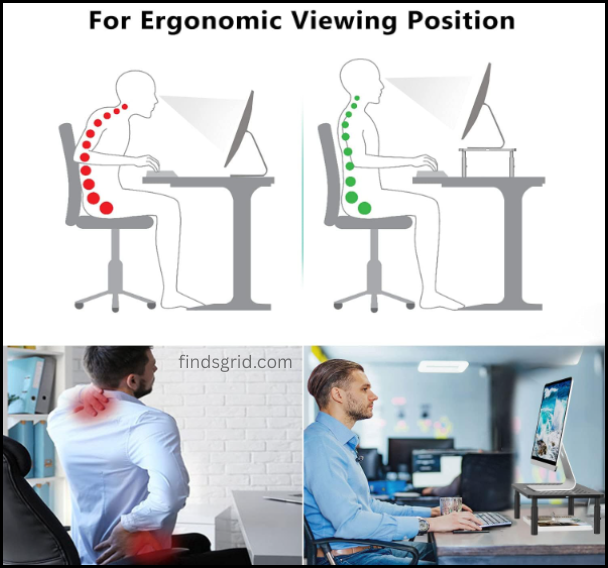
Before WALI:
-
Monitor too low. Neck bent.
-
Keyboard crammed against the monitor base. No room for a notepad.
-
Desk looked like a yard sale.
After WALI:
-
Monitor at eye level. I sit upright without thinking about it.
-
Keyboard slides under when I want to handwrite notes or eat.
-
The space under the riser hides the mess.
The weird part? A cleaner desk actually made me less distracted. I didn’t expect that. I thought “minimalist desk” was just Instagram nonsense. But when there’s no clutter, I stop fidgeting and actually work.
My 3-Week Experience (this is where it gets real)
Week 1: I set it up on a Monday. By Wednesday, my upper back was sore. Not the usual “I slept wrong” sore. A different sore. My muscles were adjusting. It felt wrong for three days. Then it felt normal.
Week 2: I stopped noticing the stand. That’s the goal, right? I only noticed that I wasn’t cracking my neck every twenty minutes. Also, I found a dumb hack: I taped a cheap LED strip under the riser. Now my keyboard area is backlit like a budget gaming streamer. Highly recommend.
Week 3: I tried using my old flat desk for an hour. Hated it. Felt like a kid at an adult table. The WALI isn’t sexy. It’s not “premium.” But it’s functional. And honestly? That’s what most of us actually need.
FAQ (the questions people actually ask me)
Q: Will it fit a 27-inch monitor?
Yes. I have a 27” Dell. The stand feet are about 18 inches apart. The WALI platform is 20 inches wide. Even a 34” ultrawide fits.
Q: Is it sturdy for a heavy gaming monitor?
The limit is 66 lbs. Your monitor is maybe 15 lbs. You’re fine.
Q: Can I put a laptop AND a monitor on it?
Barely. You can fit one 15” laptop next to one monitor base. Or two laptops side-by-side. But a full desktop setup? Put the monitor on top and the laptop next to it on the desk.
Q: I have a glass desk. Will it crack?
The rubber feet concentrate pressure. I’d put a piece of felt or a silicone trivet under each foot to be safe. You’ll probably be fine, but don’t blame me if you hear a crunch.
Q: How do I clean it?
Microfiber cloth and a little screen cleaner. Don’t use bleach wipes. They eat the coating over time.
Who should actually buy this:
Buy it if:
-
You’re a student with a tiny desk and no budget.
-
You’re a remote worker who doesn’t want to spend £150 on a fancy stand.
-
You just want to hide your keyboard and pens and call it a day.
-
You’re under 6 feet tall.
Skip it if:
-
You need adjustable height.
-
You have a glossy desk and don’t want to add felt pads.
-
You want walnut wood and premium vibes. This is steel. It’s utilitarian. It’s fine.
Bottom line: The WALI is boring. It’s cheap. It’s not Instagram pretty. But it fixed my neck, cleared my desk, and cost less than a takeout dinner for two. That’s a win in my book.