This post contains affiliate links. We may earn a commission if you purchase through them, at no extra cost to you.
If you’ve ever wondered how to get 10000 steps while working from home without carving out extra hours you don’t have, you’re not alone. Working from a one-bedroom apartment has a weird side effect nobody mentions in the job posting: your “commute” is now the ten feet between your bed and your desk. That’s it. Some of us have gone entire days where the only steps we took were to the kitchen and back. You sit down around 8, and somehow it’s 6 PM and you’ve barely moved. Your body isn’t built for that, and your energy tanks because of it. Below, we get into why sitting all day wrecks you, how to actually build walking into a normal workday, and what to look for if you’re thinking about bringing a walking pad into a small space.
Quick answer: Don’t try to walk 10,000 steps in one go. Break it up pace during calls, walk slow while you’re doing emails or reading, and only sit down when you need both hands and full focus for typing. A compact walking pad for your home office makes this doable without you ever leaving your desk.
Why Sitting All Day Kills Your Energy
Here’s something nobody warns you about before you go remote: fatigue from sitting feels completely different from fatigue after a busy day. Your legs go stiff. Your lower back starts complaining right around 2 PM, like clockwork. And that afternoon slump everyone blames on lunch? A lot of the time it’s really just blood flow that’s basically stalled because you haven’t stood up in three hours. Long, uninterrupted sitting has been tied to higher risks for heart problems and weight gain in more than a few health studies which is part of why “stay active working from home” has become such a common search on its own.
Posture takes a hit too, and it happens without you even noticing. Shoulders round forward, hip flexors tighten, neck creeps toward the screen. Nobody does this on purpose, it’s just what happens when sitting is the easiest option and your desk setup doesn’t push you to move.
Then there’s the apartment problem, which honestly might be the bigger one. A lot of us are working out of spaces that were never meant to double as a gym. There’s no floor space for a full treadmill next to the couch, and squeezing in a gym trip between back-to-back meetings just doesn’t happen for most people. So the sitting keeps going, the energy keeps dropping, and by the time evening rolls around you’re too drained to do anything active anyway.
How to Build a Low-Impact Walking Routine Into Your Workday
The good part is you don’t need a spare hour or a gym membership to fix this. What actually works is a handful of small habits stitched into a day you’re already living. Here’s roughly how we’d go about it:
- Pace through calls where you’re mostly listening. You don’t need to be on camera lined up perfectly, and a slow walking pace won’t mess with your audio quality.
- Break your day into short walking windows instead of one marathon session. Right after your morning standup, before lunch, and again mid-afternoon when your energy usually dips, twenty minutes here and there adds up fast.
- Carve out a “low-speed typing zone.” At a slow enough pace, plenty of people can type emails or skim through documents without much wobble. Save the fast, detail-heavy work for when you’re sitting.
- Use walking time for the passive stuff. Reading reports, catching up on Slack, watching a training video all of it works fine while you’re moving at an easy pace.
- Stop chasing a step count and start chasing your schedule. Tie your walking to the natural gaps in your day rather than trying to grind out steps nonstop for hours, because almost nobody actually keeps that up.
String these together and 10,000 steps quietly stops being some abstract number you’re chasing. It just becomes something your workday spits out on its own.
What to Look For in an Under-Desk Treadmill
Not every walking pad is going to fit into a remote work setup, especially once you factor in a small apartment and thin walls. A few things end up mattering way more than people expect going in:
- An actually quiet motor, not just one marketed as quiet. If you’re on video calls most of the day, any noise shows up instantly, and everyone on the call will hear it.
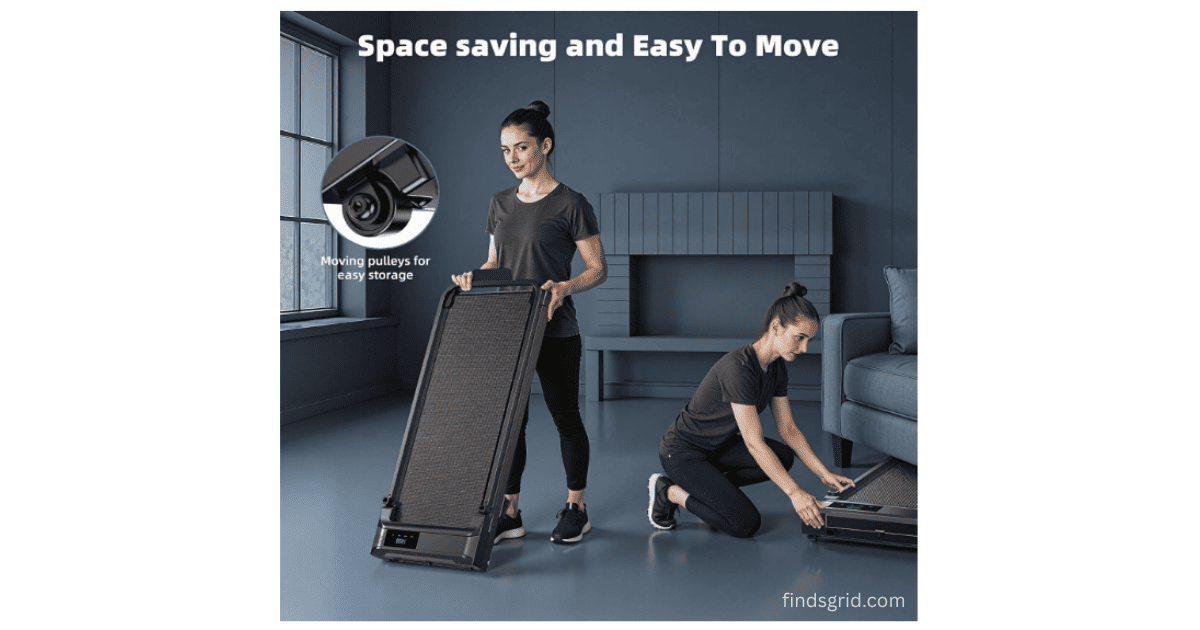
- A folded size that fits your space. If it can’t slide under the bed or into a closet, it turns into clutter within a week, this is the single biggest complaint we see about bulkier under desk treadmills for small apartments.
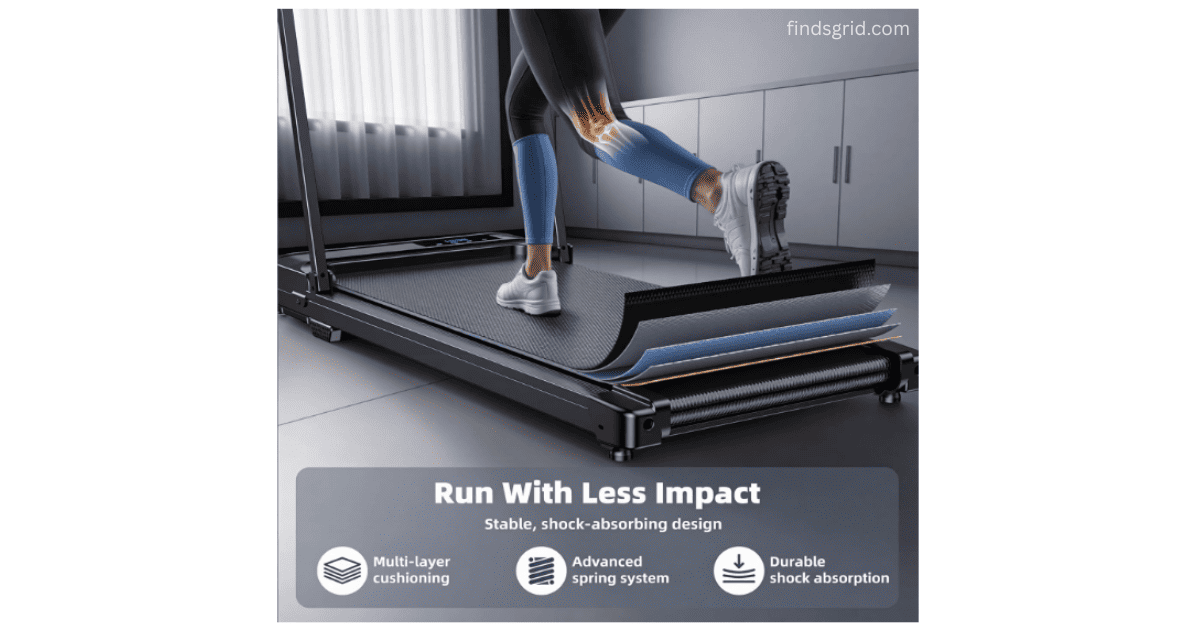
- Real shock absorption in the belt. Cheap decks send every footstep straight up into your knees. A cushioned, layered belt is one of those things you don’t appreciate until you’ve walked on a bad one.
- A handlebar you can remove or fold away. Great for stability at higher speeds, but you want the option to go flat when you’re just using it as an under-desk pad.
- Basic tracking you can glance at. Time, speed, calories, distance that’s genuinely all you need. Anything fancier just becomes another screen pulling your attention away from work.
Why Compact Walking Pads Work Best (A Practical Example)
Once you know what to actually look for, it’s a lot easier to spot a walking pad built for a home-office routine rather than something dressed up for a garage gym. This is basically where the Ulfario Walking Pad Treadmill lands.
It’s built around a 440-watt motor designed to stay quiet, which is the part that matters most when you’re pacing through back-to-back Zoom calls and don’t want your treadmill announcing itself to the whole meeting. There are three speed modes on it, a walking range of 0.6 to 1.2 MPH for typing-friendly pacing, a jogging range of 1.9 to 2.5 MPH, and a running range that goes up to 4 MPH if you want an actual workout instead of light movement. The belt’s built with a 5-layer non-slip design, so your joints aren’t absorbing the full shock of every single step.
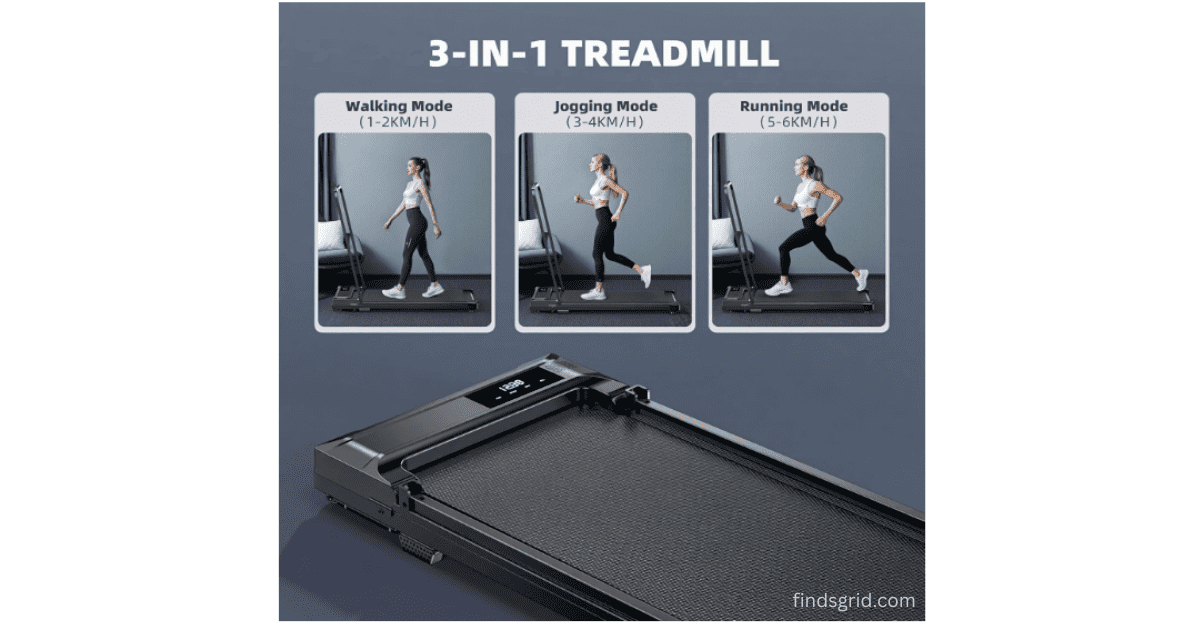
For anyone dealing with limited space, the folded footprint is really the selling point here. Folded down, it measures 104 x 48.7 x 10.5 cm, and it has built-in wheels so rolling it under a bed or into a closet doesn’t take any effort. The running deck itself gives you 90 x 38 cm, which is enough room to walk normally without your feet clipping the edges. It also comes with a foldable handlebar and a detachable phone holder, an LED display running time, speed, calories, and distance, plus a remote that lets you pause a session for up to 10 minutes without losing your tracked data, useful on days when a meeting runs long and you have to step away mid-walk.
For a closer look at how loud it actually gets, how the motor holds up over time, and how it stores away in a small apartment, check out our full [Ulfario Walking Pad Treadmill Review].
Mistakes People Make When Walking While Working
A walking pad only helps if you’re using it the right way. Some of the mistakes we see come up over and over:
- Slouching toward the screen instead of standing tall, this just trades one posture problem for another.
- Walking faster than you can actually type at, which tanks your accuracy and your focus at the same time.
- Skipping proper shoes. Bare feet or beat-up slippers don’t give your joints the support they need over a full session.
- Jumping straight into a faster pace without warming up first, which is a good way to stumble on a compact deck.
- Ignoring your desk height. If the desk isn’t raised enough for comfortable walking underneath, you’ll end up hunched over, and that cancels out most of the posture benefit you were trying to get in the first place.
Frequently Asked Questions
Yes, but only at a slow, controlled pace. Most people manage emails, notes, or spreadsheets fine somewhere in that 0.6–1.2 MPH range. Push past that and the extra bounce starts messing with your accuracy pretty quickly.
Depends almost entirely on the motor. A decent quiet motor generally somewhere in the 300 to 450 watt range, should stay under the noise level of normal talking, so coworkers on a call likely won’t even notice. Cheaper motors, on the other hand, tend to hum or rattle, and that’s an instant giveaway on Zoom.
Look for something that folds down slim and has built-in wheels. That combo lets you tuck it under a bed, behind a couch, or into a closet corner instead of it sitting out as a permanent piece of furniture.
Regular sneakers with decent support are fine nothing specialized required. Just skip bare feet, socks alone, or shoes with the soles worn thin, since the belt’s shock absorption can only do so much without real footwear backing it up.
Final Thoughts
If you’re still figuring out how to get 10000 steps while working from home, the short version is this: it isn’t about finding extra hours you don’t have. It’s about tucking short walking blocks into the day you’re already living during calls, between tasks, in the gaps most people just sit through without thinking twice. If you’re ready to actually bring a walking pad into your setup, our full review of the Ulfario Walking Pad goes deeper into its motor performance, noise levels, and how it holds up once you’re using it day after day.