This post contains affiliate links. We may earn a commission if you purchase through them, at no extra cost to you.
When professionals compare an AI voice recorder vs phone app for daily meetings, the difference shows up faster than most expect, starting with the very first recording that gets cut off, garbled, or lost halfway through an important call.
You know the feeling. You’re forty minutes into a client call, jotting notes with one hand while trying to nod along, and by the time the meeting wraps, you’ve captured maybe 60% of what actually mattered. Or worse, you hit record on your phone, only to have it die at minute 35 because you forgot to close six other apps first, or someone calls you mid-meeting and the whole recording cuts out.
This is the exact dilemma facing millions of professionals right now: stick with the free voice memo app that’s already on your phone, or invest in one of the new wave of dedicated AI hardware recorders built specifically for capturing and transcribing conversations. Both approaches sound similar on the surface, record audio, get a transcript but the real-world experience of using them at work is nowhere near the same.
Quick Answer: AI Voice Recorder vs Phone App
Phone recording apps work fine for casual, short conversations or personal notes where convenience matters more than accuracy. Dedicated AI voice recorders are the better call for regular business meetings, interviews, or any situation where clean audio, all-day battery life, and hands-free operation actually matter. If you’re only recording occasionally and don’t mind cleaning up messy transcripts yourself, your phone will do; if meeting notes are part of your job, hardware pays for itself in saved time.
The Hidden Downsides of Using Smartphone Apps for Meeting Notes
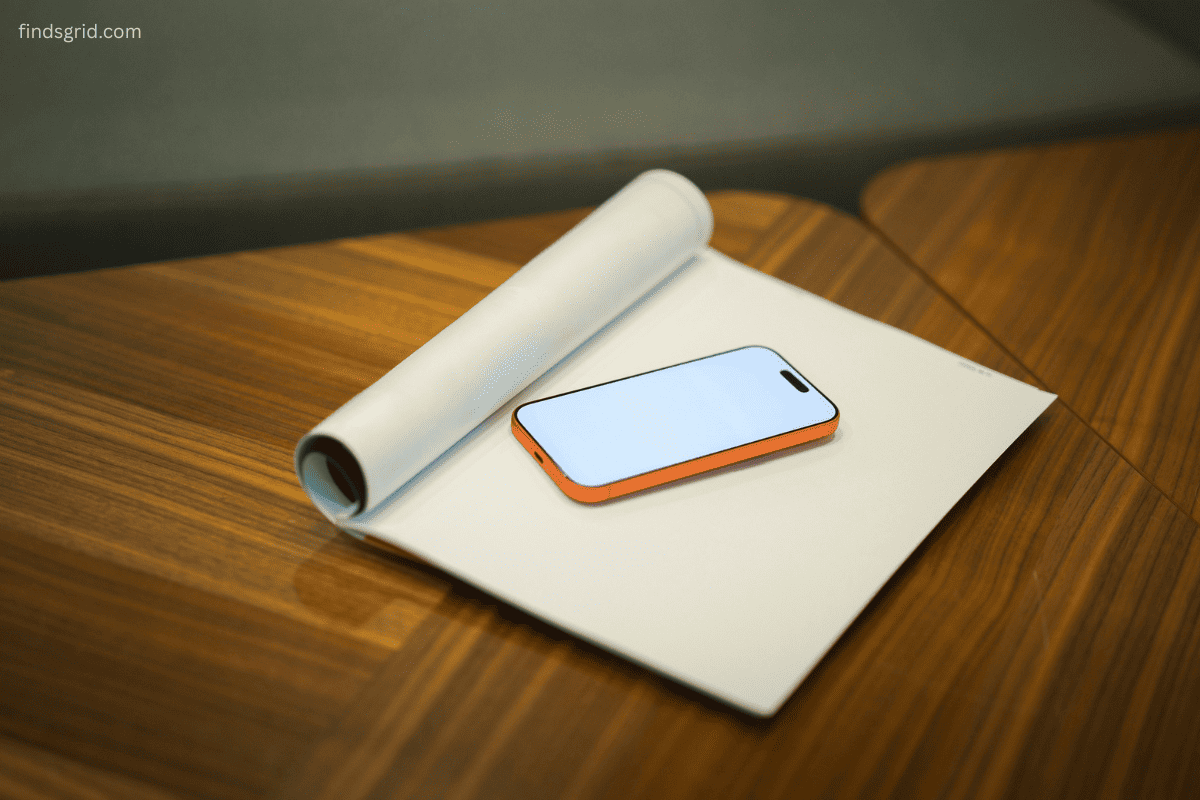
Phone recording apps feel like the obvious choice because, well, you already have your phone. But there are a handful of problems that don’t show up until you’re actually relying on them for work.
Battery drain is the first one. Recording audio continuously, especially with the screen on or a transcription app running in the background, chews through battery life fast. Sit through a three-hour workshop or a back-to-back day of client calls, and there’s a real chance your phone is at 20% by the afternoon, right when you need it for directions, email, or an actual phone call.
Storage limits creep up on you too. High-quality audio recordings, especially over long meetings, add up in file size quickly. If you’re already tight on storage from photos and apps, a week of daily meeting recordings can fill up a phone faster than most people expect.
Then there’s the interruption problem. A phone is, first and foremost, a phone. An incoming call, a low-battery warning, a calendar notification popping up mid-recording any of these can pause, stop, or otherwise mess with your recording at the worst possible moment. Some apps handle this gracefully. Many don’t.
Far-field microphone capture is the biggest quality issue. Phone microphones are designed for someone talking directly into the device, close to your face. Set your phone in the middle of a conference table, and it struggles to pick up voices from people sitting six or eight feet away, especially with cross-talk, HVAC noise, or a room with hard, echo-prone surfaces. The result is often a recording that’s technically usable but frustrating to transcribe accurately.
Where Dedicated AI Hardware Recorders Outperform Phone Apps
This is where purpose-built AI audio recorders for work start to make a real case for themselves.
Multi-directional microphone arrays are the single biggest quality difference. Dedicated hardware recorders are engineered specifically to pick up voices from multiple directions and distances, which matters enormously in a real conference room where people are scattered around a table rather than clustered around one device.
One-touch, dedicated hardware buttons solve the “did I actually start recording?” anxiety. Instead of unlocking your phone, opening an app, and tapping record all while trying to look present in a meeting, a physical button lets you start capturing audio instantly and discreetly, without ever pulling out your phone.
Local storage independent of your phone means your device isn’t competing with your photo library, your other apps, or your phone’s battery for resources. Recording capacity is dedicated entirely to audio, so you’re not stuck deleting old vacation photos mid-meeting just to make room for a transcript.
Background processing is the other quiet advantage. Many of these devices offload the heavy lifting, noise cleanup, speaker separation, and transcription to cloud processing or a companion app, so the hardware itself just focuses on capturing the cleanest possible audio while you go about your day.
Privacy, Security, and Compliance in Professional Settings
This is the part that often gets overlooked until it becomes a real problem. If you work in healthcare, legal, finance, or any regulated industry, how you record and store conversations isn’t just a convenience question, it’s a compliance one.
Enterprise environments increasingly look for tools that meet recognized data-security frameworks like HIPAA, GDPR, SOC 2, or ISO 27001/27701 certifications, especially when sensitive client, patient, or financial information might come up in a recorded conversation. A generic phone recording app rarely advertises or meets any of these standards, and audio files can end up sitting unencrypted in a random folder on a device that also has your personal photos and messages.
Dedicated AI recording hardware built for professional use tends to take this far more seriously, with local encryption, controlled data handling, and clearer policies around where audio actually goes once it’s captured. There’s also a practical, less technical benefit: a small, discreet wearable device is far less distracting or intimidating in a meeting than someone visibly holding up a phone the entire time. It reads as normal, ongoing note-taking rather than an obvious recording.
One more thing worth repeating regardless of which method you choose: always let the people in the room know they’re being recorded. It’s the professional norm, and in many places, it’s the law.
How to Streamline Your Meeting Workflow
The real win isn’t just recording, it’s what happens after. The best automatic meeting transcription tools don’t just hand you a wall of text; they organize it into summaries, action items, and searchable notes you can actually use.
If you want a dedicated wearable solution that clips onto your shirt or wristband and handles transcribing automatically without pulling out a phone, check out our in-depth Plaud NotePin S Review to see how dedicated hardware handles real-world meeting capture.
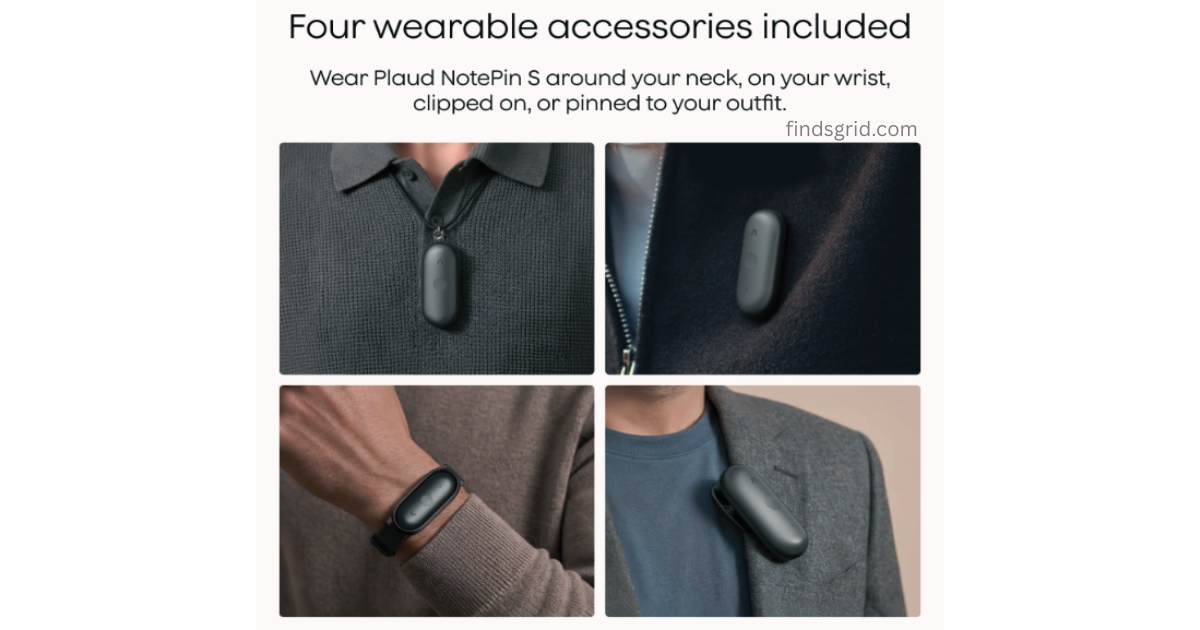
Whatever tool you land on, the workflow that actually saves time looks something like this: capture the audio with minimal friction, let transcription happen automatically in the background, and review a clean summary afterward instead of re-listening to an hour of audio. That last step is where most of the real time savings come from.
AI Voice Recorder vs Phone App: Side-by-Side Comparison
Here’s a side-by-side look at how an AI voice recorder vs phone app compares across the features that matter most at work:
| Feature | Smartphone Recording Apps | Dedicated AI Recorders (e.g., Plaud NotePin S) | Winner |
|---|---|---|---|
| Microphone range & clarity | Best for close, single-speaker use | Multi-directional, built for group settings | AI Recorder |
| Battery life during heavy use | Competes with other phone functions | Dedicated battery, often lasts a full day or more | AI Recorder |
| Storage capacity | Shared with photos, apps, and files | Dedicated local storage for audio only | AI Recorder |
| Interruptions during recording | Vulnerable to calls, notifications, low battery | Purpose-built, no competing phone functions | AI Recorder |
| Discreetness in meetings | Requires visibly holding/placing a phone | Wearable, blends into normal note-taking | AI Recorder |
| Setup convenience | Already on your phone, zero cost to start | Requires purchasing dedicated hardware | Phone App |
| Casual, occasional use | Perfectly adequate | Overkill for rare use | Phone App |
| Compliance-grade data handling | Varies widely, rarely certified | Often built around recognized security standards | AI Recorder |
Frequently Asked Questions
No. Most dedicated AI recorders capture and store audio locally on the device itself, so recording works fine offline. An internet connection typically comes into play later, when the audio is uploaded for transcription and summarization.
They can work, but accuracy drops noticeably as room size, background noise, and distance from the microphone increase. For a one-on-one conversation held close to the phone, results are usually solid. For a full conference room with several speakers, expect more transcription errors and missed dialogue.
Recording laws vary by state and country, generally falling into “one-party consent” or “all-party consent” categories. The device itself doesn’t change the legal requirement, what matters is whether everyone present has been informed, depending on your local law. When in doubt, just ask before you record.
Many modern AI recorders and their companion apps include speaker separation, labeling who said what in the transcript. This is generally more reliable with dedicated hardware’s multi-directional mics than with a single phone microphone trying to distinguish voices from one fixed point.
Final Thoughts
At the end of the day, the AI voice recorder vs phone app decision comes down to how often you’re recording and how much accuracy matters to you. If you’re recording the occasional call or a quick personal voice memo, your phone’s built-in app is genuinely fine, there’s no need to overcomplicate a simple task. But if meetings, interviews, or client calls are a regular part of your workweek, the gap between “good enough” and “actually reliable” becomes obvious fast.
The right tool ultimately depends on how often you’re recording and how much that recording matters. For everyday professionals drowning in back-to-back meetings, a dedicated AI recorder is worth a serious look and if you’re curious what that actually looks like in practice, the Plaud NotePin S review linked above is a solid place to start.